
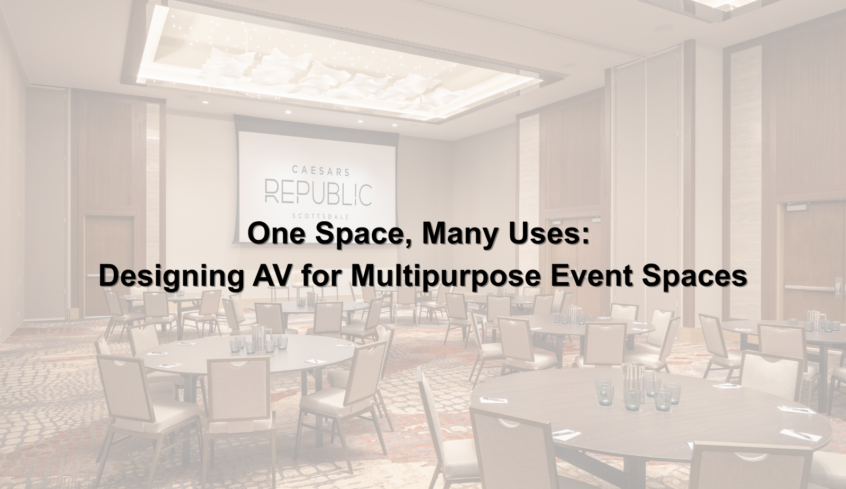
A multipurpose space might host an executive presentation in the morning, employee training in the afternoon, and a company-wide event that evening. The next day, that same room could be used for a panel discussion, hybrid meeting, awards ceremony, or community gathering.
The room can change in a matter of minutes. The technology supporting it needs to be just as adaptable.
Multipurpose event spaces are designed to give organizations flexibility, but creating that flexibility presents a unique audiovisual challenge. A system designed around one specific room configuration may work perfectly for one event and struggle during the next.
Effective AV design considers not only what happens in the space today, but all the different ways people may need to use it in the future.
Start With How the Space Will Actually Be Used
Designing AV for a traditional conference room is relatively straightforward because the basic layout usually stays the same. A multipurpose room is different.
Tables may disappear. Seating may rotate. A temporary stage could be added. Movable walls might divide one large room into several smaller spaces. Some events may have everyone facing the front of the room, while others encourage people to move throughout the space.
Before selecting equipment, it is important to understand those different scenarios.
Who will use the room? How many people could be in it? Will presenters move around? Will outside organizations use the space? Will events be streamed or recorded? Could the room be divided into smaller spaces?
The answers influence nearly every AV decision that follows.
The goal is not to design around a single “ideal” configuration. It is to create a system capable of supporting several.
Audio Has to Work Wherever People Are
Audio can become particularly challenging when a room doesn’t have one permanent layout.
In one configuration, attendees may be seated theater-style facing a presenter. In another, tables could be spread throughout the room for a training session. During a reception or networking event, people may be standing and moving around the entire space.
The sound system has to accommodate all of them.
Speaker placement, microphone coverage, acoustics, audio processing, and zoning all become important considerations. In divisible spaces, the system may also need to recognize whether rooms are being used independently or together.
A microphone being used in one section shouldn’t necessarily need to play throughout the entire facility. But when the partitions open for a large event, the system may need to operate as one cohesive environment.
Good design makes those transitions feel simple—even when a considerable amount of technology is working behind the scenes.
Displays Need to Work With Different Layouts
A large display at the front of a room might seem like the obvious solution, but what happens when the seating changes?
People who had a perfect view during a presentation may suddenly find themselves sitting at an awkward angle during a different event. In larger spaces, attendees near the back may struggle to read detailed content even if the primary display itself is large.
Multipurpose spaces often require thinking beyond a single screen.
Depending on the environment, that could mean strategically positioned secondary displays, projection, LED technology, confidence monitors for presenters, or multiple content destinations throughout the room.
Display size is important, but so are viewing distance, sightlines, resolution, ambient lighting, and the type of content people will actually be viewing.
A flexible room needs visual technology that works from more than one perspective.
Complex Technology Should Still Be Simple to Control
Here is where multipurpose AV can become interesting.
Behind the scenes, the system might be managing displays, microphones, cameras, speakers, multiple sources, room partitions, streaming technology, and several different signal paths.
The person using the room shouldn’t have to think about most of that.
Instead, a well-designed control system can simplify common room configurations into intuitive options.
A user might select Presentation, for example, and the system automatically routes the appropriate source to the displays, activates the correct microphones and speakers, and configures the room for that particular use.
Switch to a different event mode, and the technology adapts with it.
The more capable a space becomes, the more important intuitive control becomes. Flexibility shouldn’t come at the cost of usability.
Don’t Forget the People Outside the Room
Today, an “event space” doesn’t necessarily end at the walls.
A company meeting may include employees joining remotely. A university event could be streamed to another campus. A government meeting may need to be recorded or broadcast. A panel discussion might include a presenter joining from another state.
That means cameras, microphones, content sharing, recording, streaming, and conferencing should be considered alongside the in-room experience.
Remote participants need to hear questions from the audience, see presenters clearly, and view shared content without feeling like an afterthought.
Designing for hybrid participation from the beginning is significantly easier than trying to add it after the room is complete.
Plan for the Things You Haven’t Thought of Yet
No organization can predict exactly how a space will be used five or ten years from now.
That’s why infrastructure matters.
Pathways, network connectivity, power, equipment locations, mounting provisions, and system capacity may not be the most visible parts of an AV project, but they can determine how easily a space evolves later.
Technology changes. Organizations grow. Events evolve. A room originally designed for internal meetings may eventually host public events, broadcasts, or entirely new types of collaboration.
Planning with that possibility in mind can make future upgrades significantly easier and help organizations get more value from the space over time.
The Goal Isn’t More Technology. It’s More Possibility.
A great multipurpose event space doesn’t need technology simply for the sake of having it.
It needs the right technology working together in a way that allows the room to adapt.
That means designing audio that can accommodate changing layouts, displays that remain visible from different configurations, controls that simplify complex systems, and infrastructure that leaves room for future needs.
When all of those elements work together, the technology becomes less noticeable—and the possibilities for the space become much greater.
At Technology Providers Inc. (TPI), we design and integrate audiovisual systems around the way spaces are actually used. Whether you’re planning a new multipurpose environment or looking to improve an existing one, thoughtful AV design can help one space successfully serve many purposes.
Ready to explore what’s possible for your space? Contact TPI to start the conversation.